How to Export Zillow Search Results
Export Zillow search results to CSV, Excel, or JSON
Zillow search results are useful for comparing prices, monitoring markets, collecting leads, and building property research spreadsheets.
Zillow Data Exporter lets you export Zillow search results as structured rows instead of copying each listing manually.
Step 1: Open a Zillow search result page
Go to a Zillow search result page for the location and property type you want to analyze. This can include for-sale, for-rent, or recently sold results.
Step 2: Start result extraction
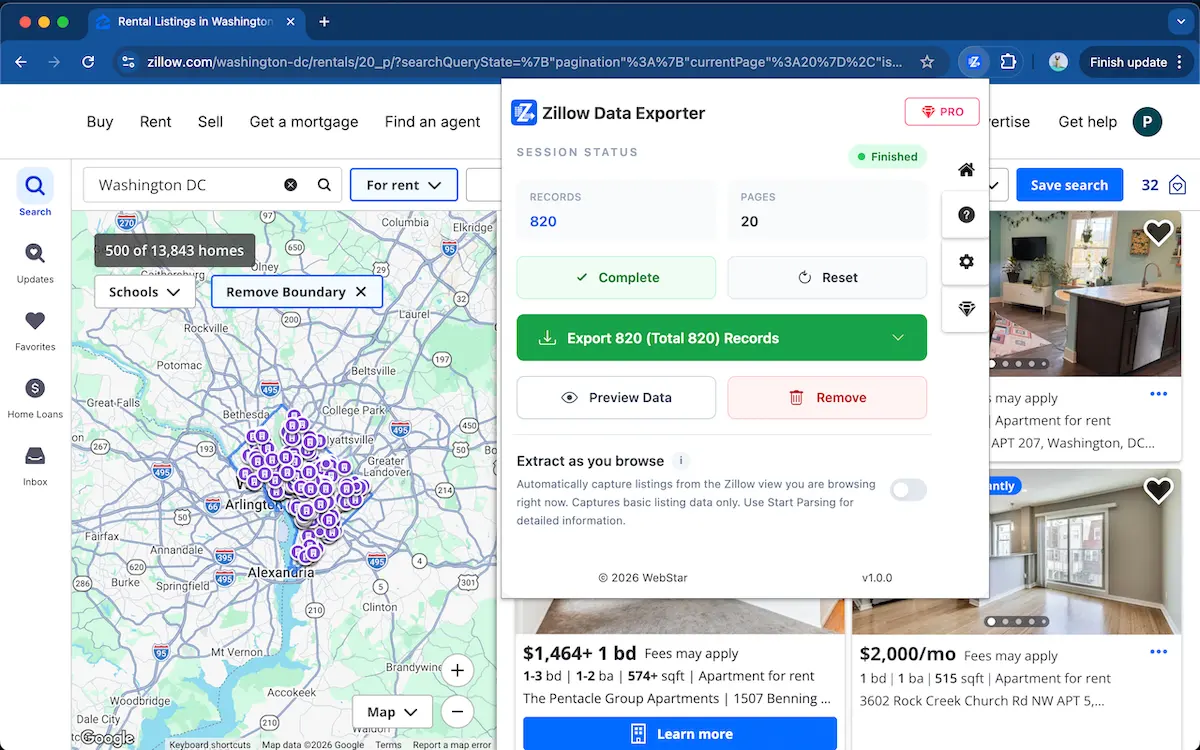
Open Zillow Data Exporter and start parsing. The extension captures the property rows visible on the Zillow search results page.
Step 3: Use multi-page extraction
When your research covers more than one page, use multi-page extraction to collect rows across multiple Zillow result pages and keep your dataset consistent.
Stop copying Zillow search results manually
Use Zillow Data Exporter →Step 4: Export the results
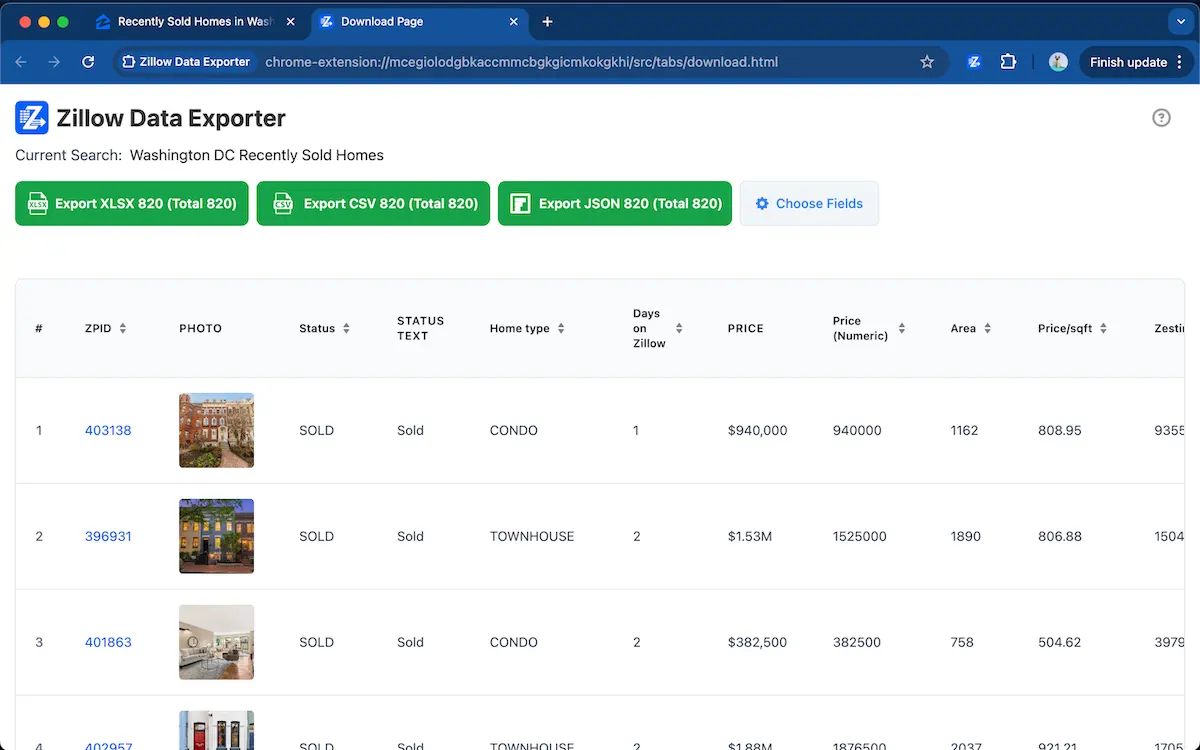
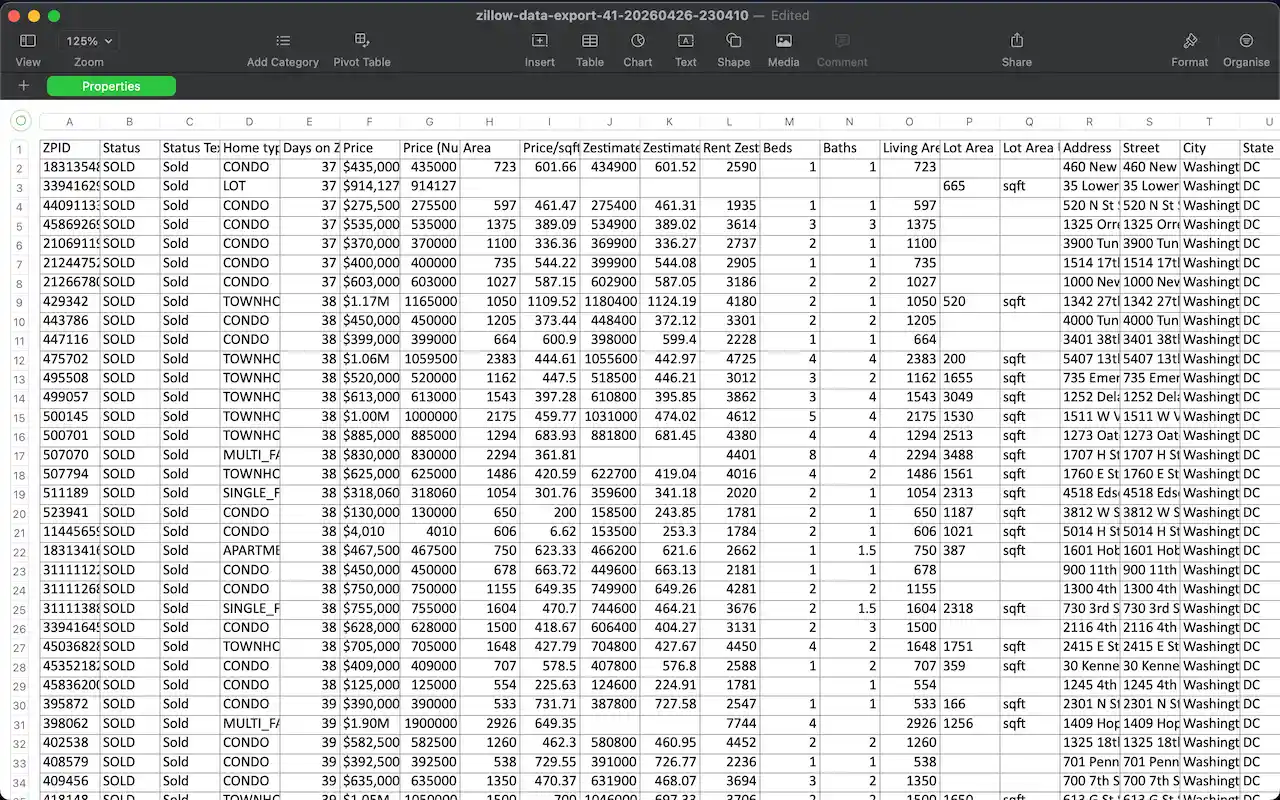
Preview the captured rows, choose the fields you need, and export the Zillow search results to CSV, Excel XLSX, or JSON.
Tips for multi-page Zillow exports
When exporting multiple Zillow search result pages, use the same search filters before each capture. Consistent filters help keep exported property rows comparable, especially when monitoring sold properties, rental listings, or price changes over time.
FAQ
Can I export Zillow search results?
Yes. Zillow Data Exporter can export property rows from Zillow search results, including for-sale, for-rent, and recently sold pages.
Can I export saved Zillow listings?
Yes. Saved or favorite listings can be exported when they are visible in your browser.
Learn more → View full features