How to Export Zillow Property Data
Export Zillow data to CSV, Excel, or JSON
Zillow property pages and search results include valuable real estate data for market analysis, comps, lead collection, and reporting.
With Zillow Data Exporter, you can capture listing rows and export clean property data without manual copy-paste or spreadsheet cleanup.
Step 1: Open Zillow search results
Open a Zillow results page for for-sale, for-rent, or recently sold properties. The extension works with rows that are visible in your browser.
Step 2: Parse property rows
Launch Zillow Data Exporter and start parsing. The tool collects structured property rows from the current Zillow results page.
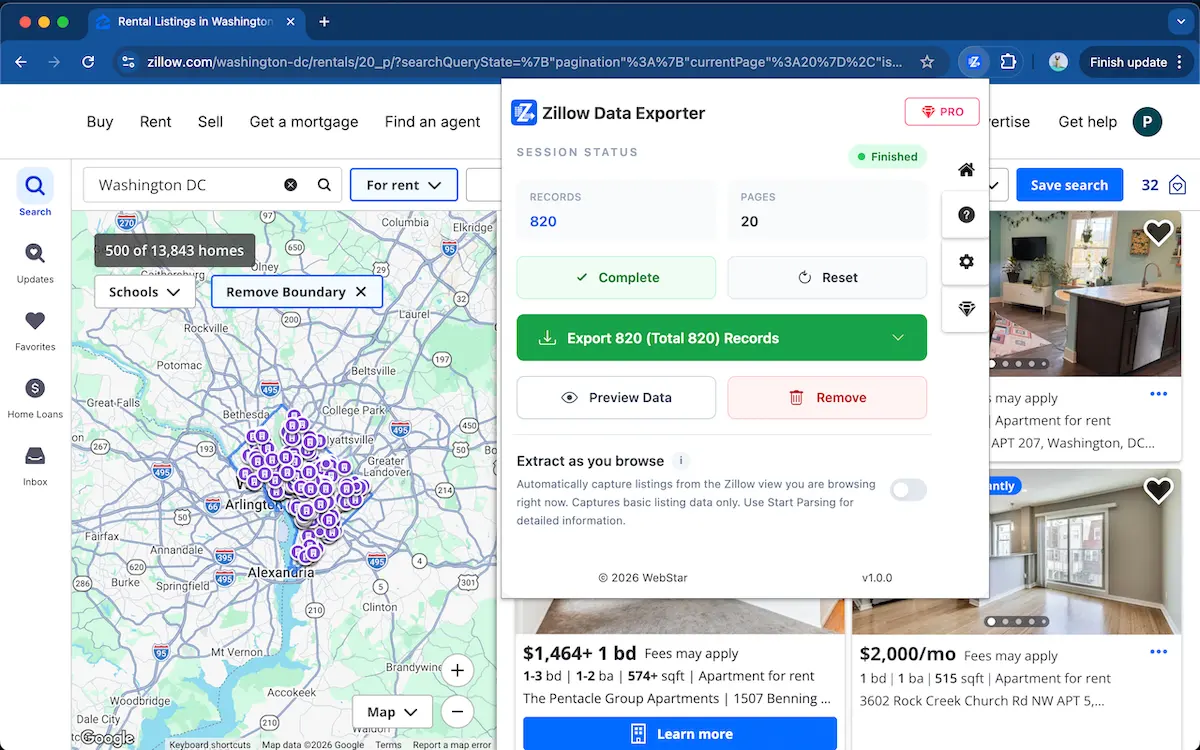
Step 3: Choose the fields you need
Preview the captured rows and keep only the columns you need, such as price, address, beds, baths, home type, area, days on Zillow, and listing URL.
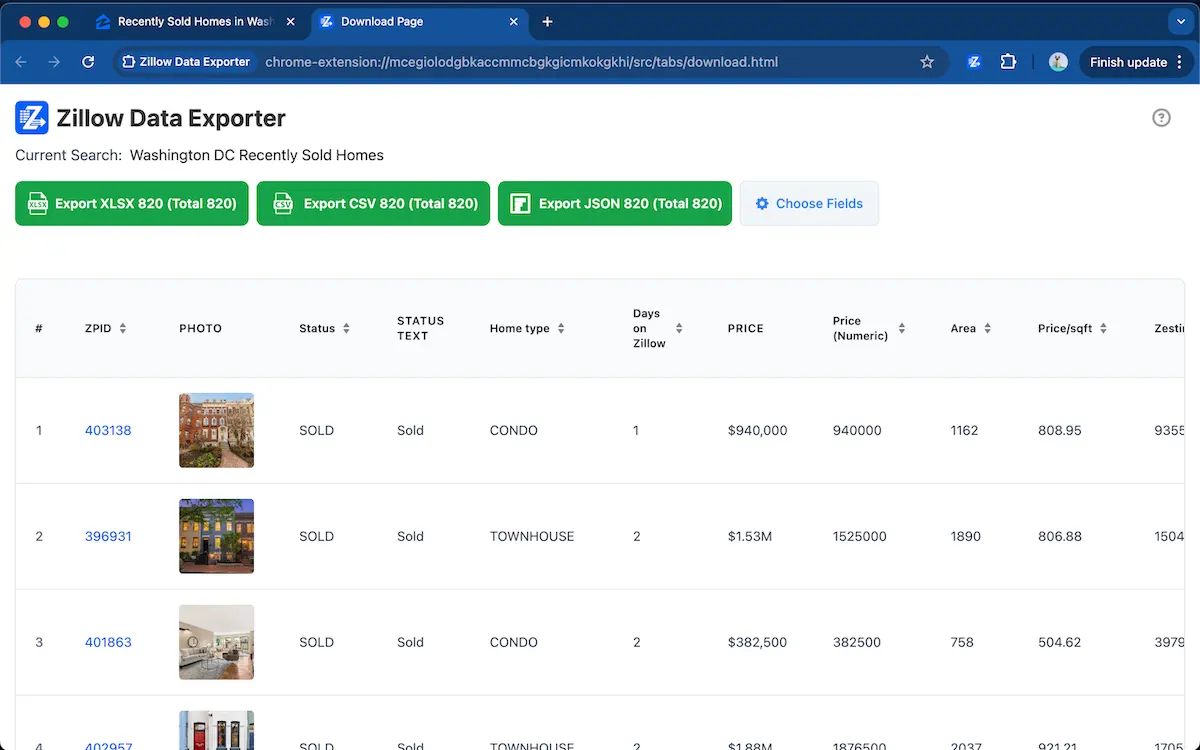
Stop copying Zillow property data manually
Use Zillow Data Exporter →Step 4: Export to CSV, Excel, or JSON
Export the property data as CSV, Excel XLSX, or JSON depending on your workflow. This keeps real estate research organized and repeatable.
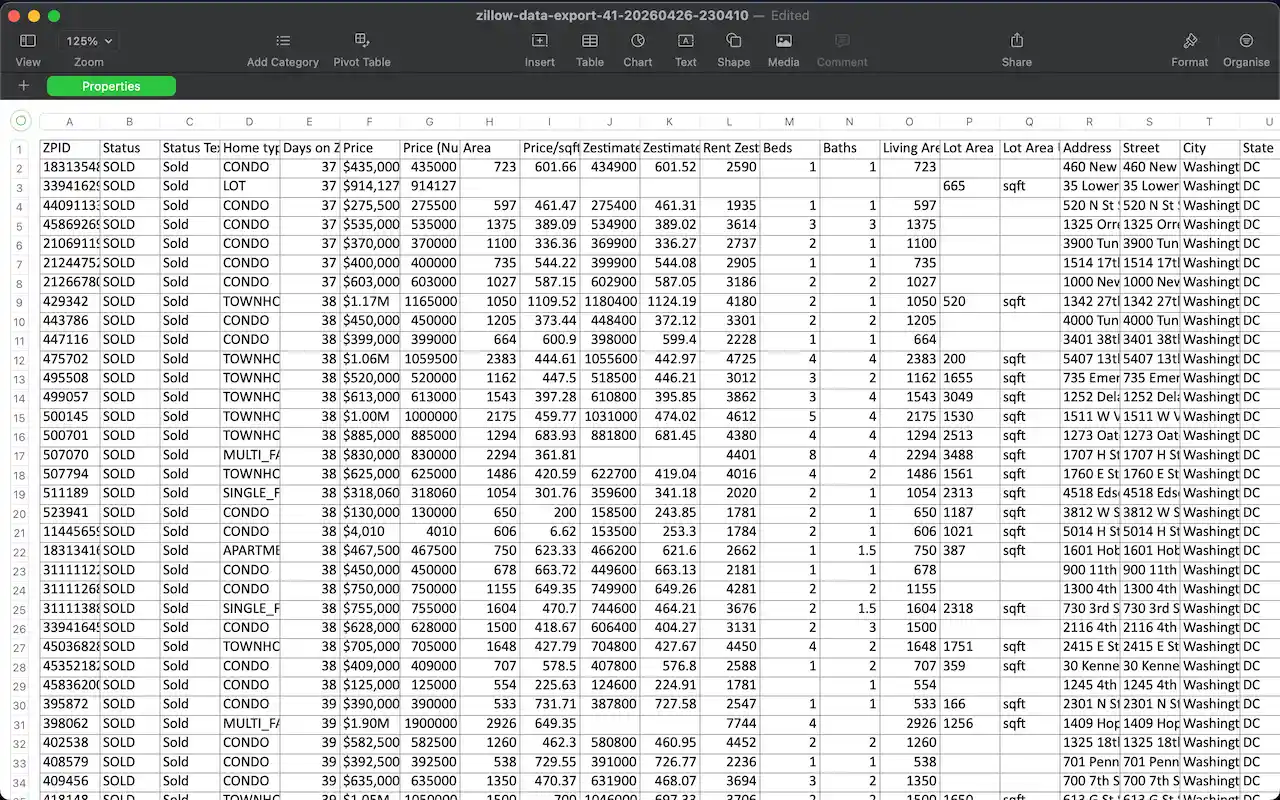
Which Zillow fields are most useful?
For market analysis and comps, the most useful fields are usually price, address, beds, baths, home type, area, days on Zillow, and the listing URL. Keeping these fields consistent makes it easier to sort, filter, and compare property data across different Zillow searches.
FAQ
What Zillow property data can I export?
You can export property fields such as price, address, beds, baths, home type, area, days on Zillow, and listing URL.
Can I export Zillow data from multiple pages?
Yes. Zillow Data Exporter supports multi-page extraction from Zillow search results so you can collect property rows across multiple result pages.
Export Zillow property data in seconds
Add to ChromeCSV, Excel, and JSON export · No scraper code required
Learn more → View full features