How to Export Zillow Data for Free
Start exporting Zillow property rows faster
You can export small amounts of Zillow data for free by copying listing information into a spreadsheet manually.
The right workflow depends on how much data you need and whether you want clean CSV, Excel, or JSON output.
Free method: copy Zillow data manually
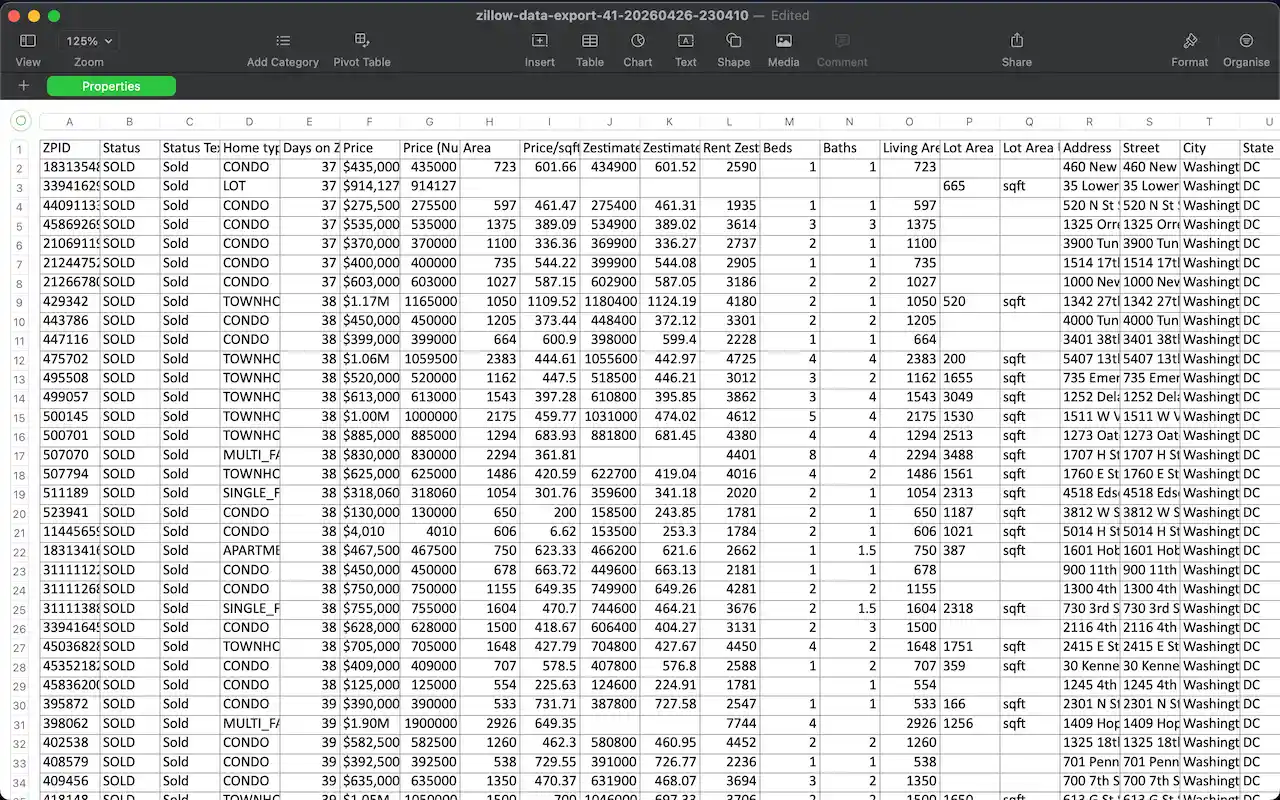
For a few listings, open each Zillow property or search result row and copy the fields you need into a spreadsheet. Common fields include price, address, beds, baths, home type, area, days on Zillow, and the listing URL.
This approach costs nothing, but it works best only when the list is short and you do not need to repeat the process often.
Limits of manual Zillow data export
Manual collection becomes inefficient when a Zillow search has many rows or multiple pages. It also creates formatting problems because every field must be pasted and cleaned by hand.
- Large searches take too long to copy row by row.
- Spreadsheet columns can become inconsistent.
- Repeated market research is hard to reproduce.
- CSV, Excel, and JSON output require extra cleanup.
Faster free starting point: use Zillow Data Exporter
Zillow Data Exporter gives you a faster browser-based starting point. Open a Zillow results page, start parsing, preview captured rows, and export the fields you need.
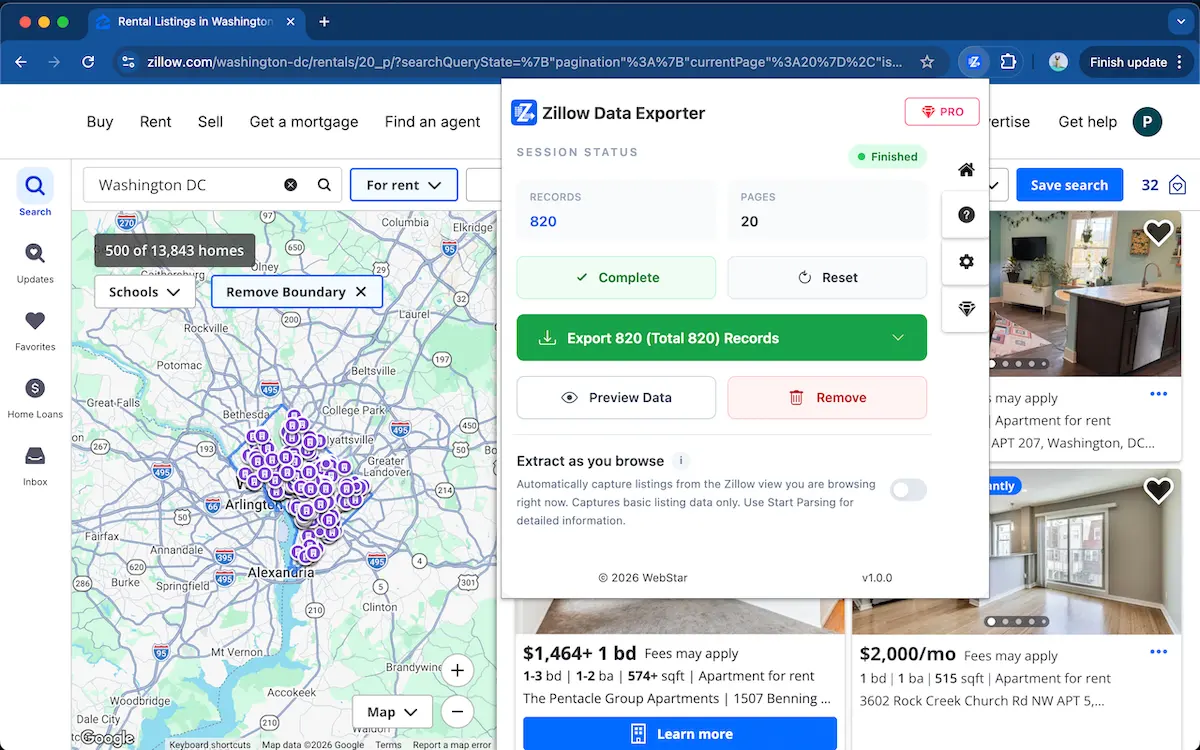
Start exporting Zillow data faster
Use Zillow Data Exporter →Free vs Pro export workflows
Free manual collection is acceptable for very small datasets. For larger searches, repeat reports, field selection, and cleaner export formats, an extension workflow is usually faster.
You can start for free. Advanced export workflows may require Pro features depending on the current plan and the amount of data you need to process.
FAQ
Can I export Zillow data for free?
Yes. You can manually copy small amounts of Zillow data for free, and you can start with Zillow Data Exporter for a faster browser-based workflow.
Do CSV, Excel, or JSON exports require Pro?
You can start for free. Advanced export workflows may require Pro features depending on the current plan and export needs.
Learn more → View full features