How to Download Zillow Property Images
Download Zillow property images instantly
Zillow property pages include image galleries that show exterior views, rooms, layouts, and other listing details.
If you need Zillow property images for analysis, presentations, or real estate workflows, downloading them manually takes unnecessary time.
This guide shows the easiest way to collect property images with the Zillow Images Downloader Chrome extension.
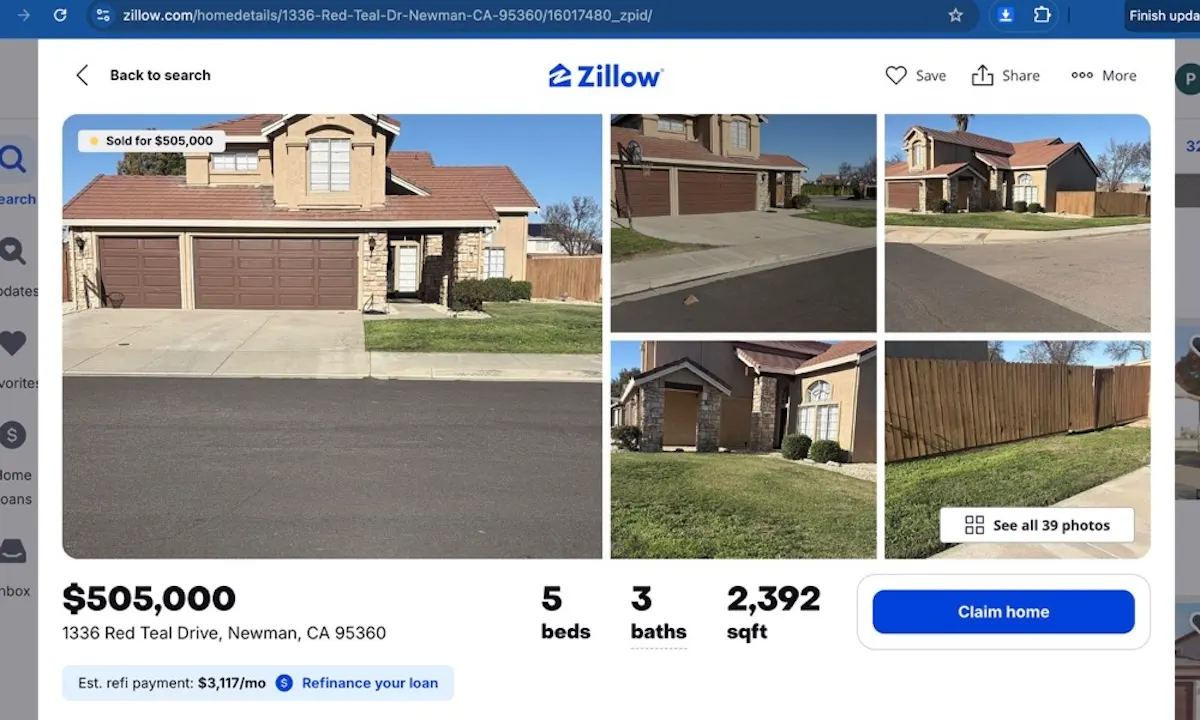
Step 1: Open the Zillow property page
Visit the Zillow property page that contains the image gallery you want to download.
Need the extension first? Add to Chrome.
Step 2: Launch the extension popup
Click the Chrome toolbar icon to open Zillow Images Downloader directly on the property page.
If the icon is not visible yet, Add to Chrome and pin it to your toolbar.
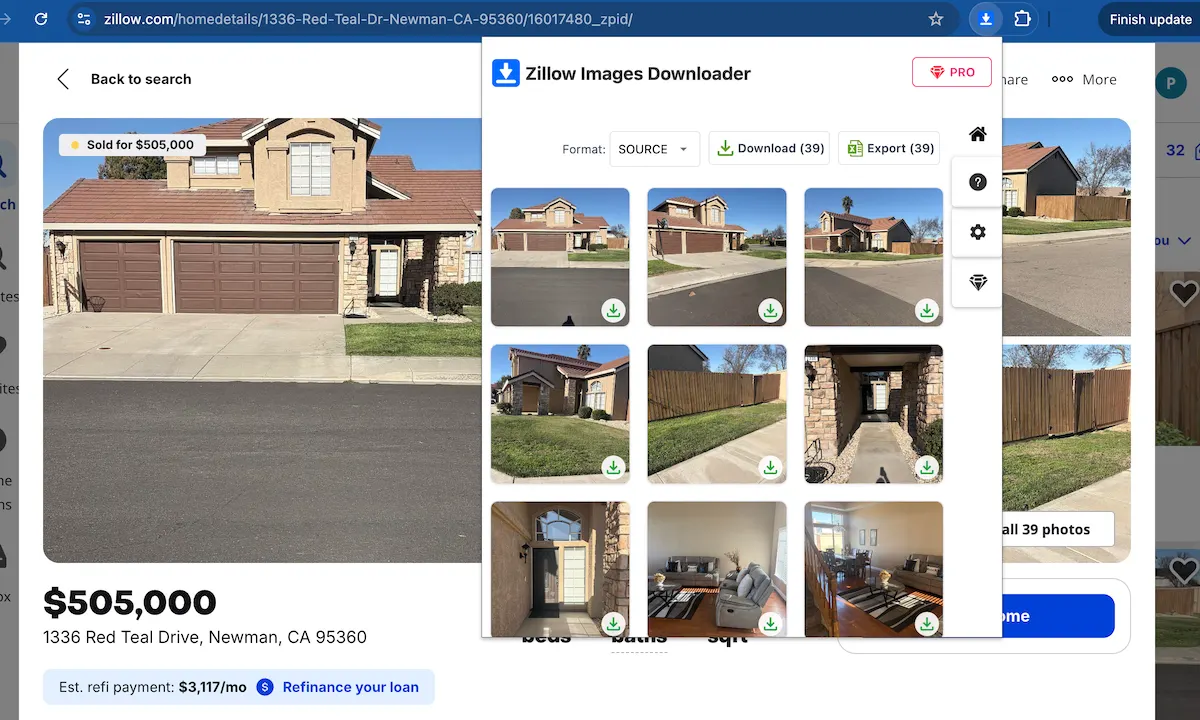
Step 3: Detect all property images automatically
The extension reads the page and lists the property images available on the listing. This avoids manual right-click saving and gives you a cleaner workflow.
Want to try this workflow? Add to Chrome.
Get Zillow property images without manual saving
Use Zillow Images Downloader →Step 4: Download the property images you need
Download property images one by one or save the full gallery as a ZIP file when you need the entire set for real estate research or content work.
Ready to download property images? Add to Chrome.
FAQ
Can I download Zillow property images for large listings?
Yes. Zillow Images Downloader helps you access property images from large listings and download them in a single workflow.
Do I need to save Zillow property images one by one?
No. The extension detects the listing gallery automatically, so you can download property images individually or as a ZIP file.
Learn more → View full features