How to Download Zillow Images
Download Zillow images instantly
Downloading Zillow images manually is slow when a listing contains a full gallery of exterior photos, interior shots, and room details.
This step-by-step guide shows the manual option, the faster extension workflow, and when bulk download makes more sense.
If you only need one image, manual saving can work. If you need a full listing gallery, Zillow Images Downloader is usually faster.
Can You Download Images from Zillow?
Yes, but the manual process is limited. You can right-click and save visible images, but Zillow galleries often include many listing images and the workflow becomes repetitive quickly.
A Chrome extension can simplify the process by detecting listing images from the page and making them easier to download.
How to Download Zillow Images Step by Step
The fastest workflow is to open the Zillow listing, detect the image gallery, and then download individual images or the full gallery.
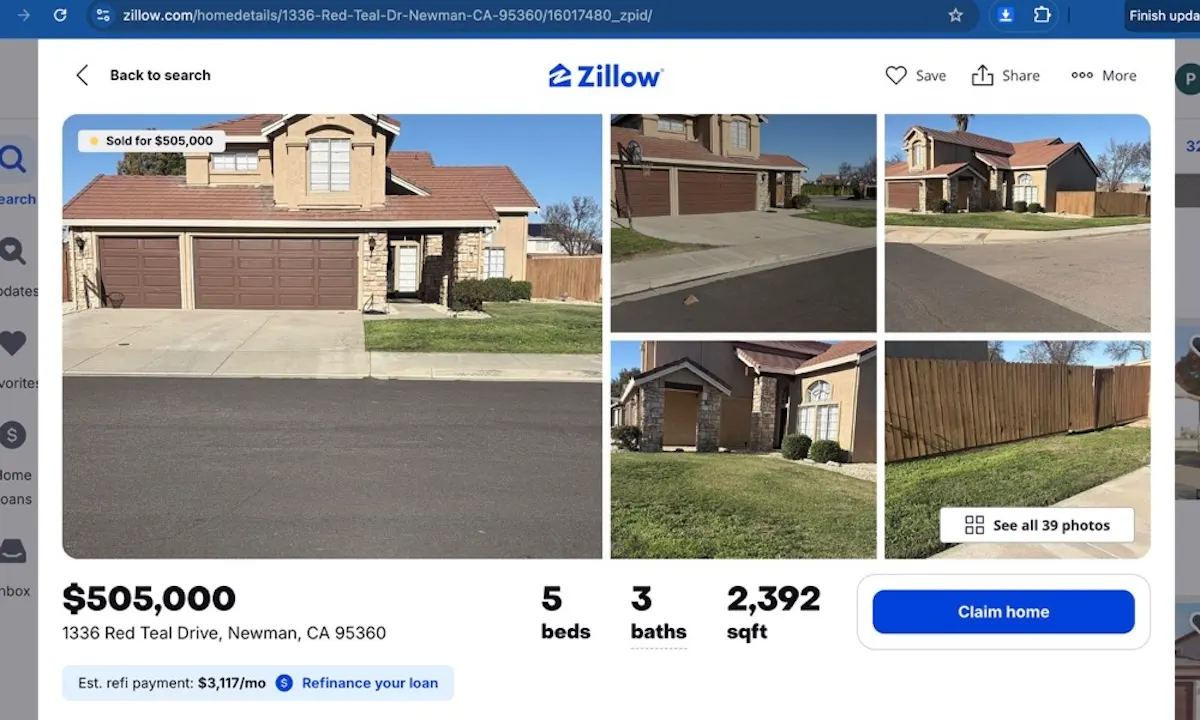
Step 1: Open a Zillow listing page
Start by opening any Zillow property page that includes a full image gallery. This is where you can review the listing and prepare to collect all available photos.
Need the extension first? Add to Chrome.
Step 2: Click the Chrome extension icon
Once the listing is loaded, click the Zillow Images Downloader icon in your Chrome toolbar to open the popup interface.
If the icon is not visible yet, Add to Chrome and pin it to your toolbar.
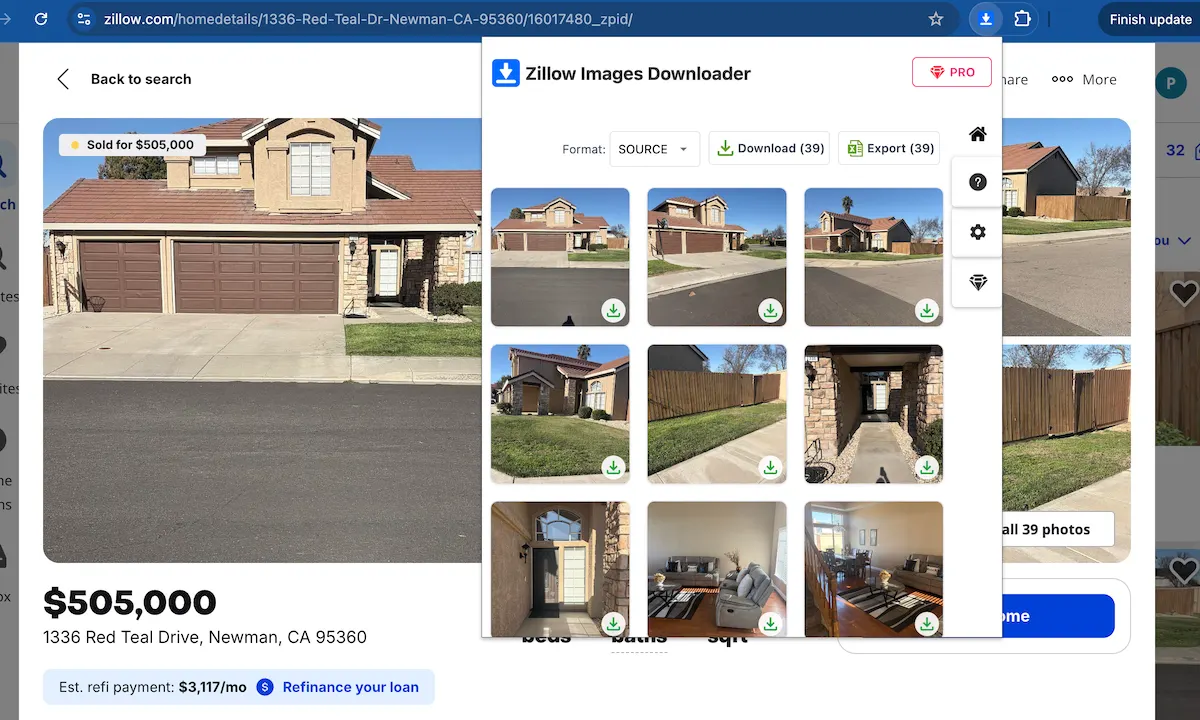
Step 3: Let the extension detect all listing images
The extension scans the page and detects the full image gallery for you. This is the fastest way to avoid manually saving Zillow listing images one by one.
If you need a faster workflow for Zillow property images, the extension makes the entire gallery accessible in one place.
Want to try this workflow? Add to Chrome.
Stop saving images one by one
Use Zillow Images Downloader →Step 4: Download Zillow listing images instantly
You can now download Zillow listing images individually or save the entire gallery as a ZIP file. This is especially useful when you need to collect high-resolution property photos from larger listings.
Ready to download the gallery? Add to Chrome.
Download Images One by One vs Bulk Download
| Method | Best for | Limit |
|---|---|---|
| One-by-one saving | A few individual photos | Slow for large galleries |
| Bulk download | Full listing galleries | Requires an extension workflow |
Best Way to Download Zillow Images
For occasional use, manual saving is acceptable. For repeated real estate research, marketing, or property analysis, using Zillow Images Downloader is the more efficient workflow.
FAQ
Can I download all Zillow listing images at once?
Yes. Using a browser extension allows you to download full image galleries in a ZIP file.
Are Zillow listing images high resolution?
Many listings include high-resolution images that can be downloaded directly from the listing gallery.
Learn more → View full features