Download Zillow Images in Bulk
Download full Zillow image galleries instantly
If a Zillow listing has 30 or more photos, manual saving is not realistic for a repeatable real estate workflow.
Bulk download helps you save the full listing gallery as a single ZIP file instead of repeating the same save action again and again.
This guide focuses on the bulk workflow and when it is better than downloading Zillow images one by one.
Why Bulk Download Matters
Saving images manually is manageable for one or two photos. It becomes inefficient when you need the full gallery for comps, market research, presentations, or listing documentation.
Bulk download reduces the time cost and keeps all images from the same listing organized together.
How to Download Zillow Images in Bulk
The workflow is simple: open the Zillow listing, launch the extension, detect the gallery, and download all images as a ZIP file.
Step 1: Open the Zillow listing with a large gallery
Open the property listing that contains the image gallery you want to download in bulk.
Need the extension first? Add to Chrome.
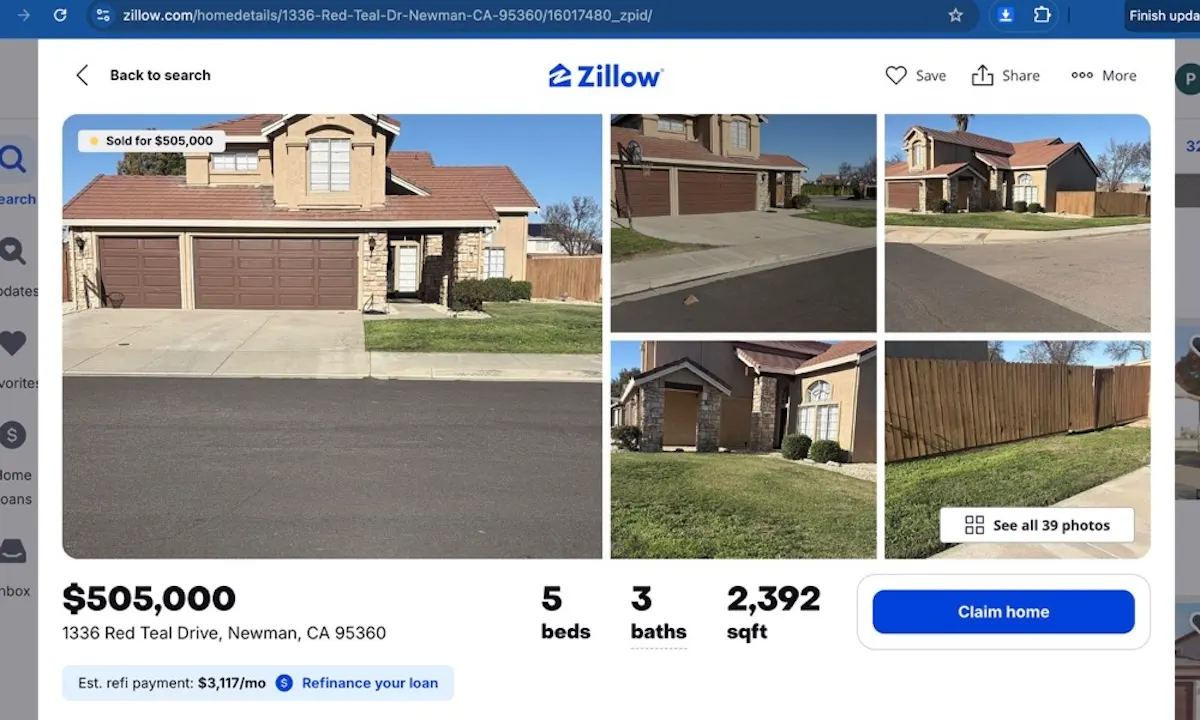
Step 2: Open the extension controls
Click the toolbar icon to launch Zillow Images Downloader and access the full gallery from one place.
If the icon is not visible yet, Add to Chrome and pin it to your toolbar.
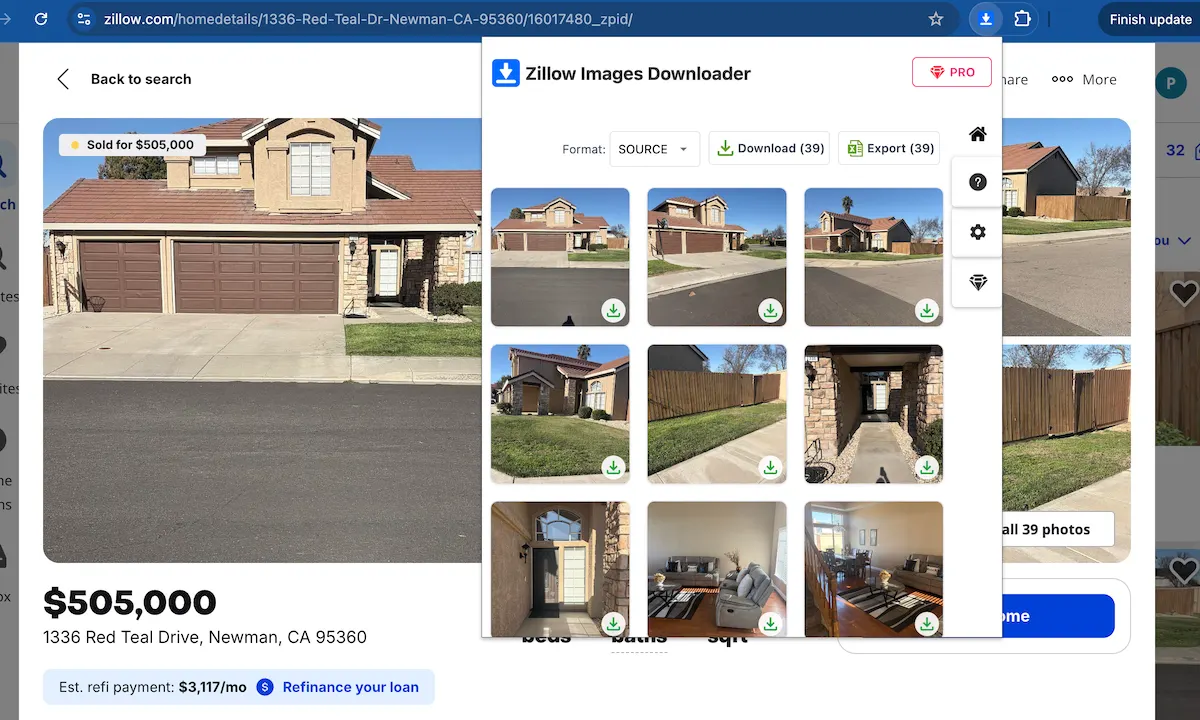
Step 3: Detect the full Zillow gallery
The extension detects the images available on the listing and prepares them for a bulk download workflow.
Want to try bulk download? Add to Chrome.
Download full galleries instead of saving images manually
Use Zillow Images Downloader →Step 4: Download all images as a ZIP file
Choose the bulk download option to save the full gallery as a ZIP file, which is much faster than handling each image individually.
This is also useful if you want to keep listing images and property data organized in one repeatable workflow.
Ready to download the full gallery? Add to Chrome.
Manual vs Bulk Download
| Workflow | Manual saving | Bulk ZIP download |
|---|---|---|
| Best use | One or two images | Full property galleries |
| Time cost | Repeats for every image | One download action |
| Organization | Files can be scattered | Gallery stays together in one ZIP |
Best Tool for Bulk Download
Zillow Images Downloader is designed for users who need to collect full Zillow image galleries without manually saving every photo.
FAQ
Can I download Zillow images in bulk as a ZIP file?
Yes. Zillow Images Downloader lets you collect the full gallery and save all Zillow listing images in a ZIP file.
Is bulk download useful for large Zillow listings?
Yes. Bulk download is especially useful for larger listings because it saves time and keeps files organized in one export.
Learn more → View full features